
// CYBER NOMAD & REMOTE WORK INFRASTRUCTURE
Mobile Command Center Tech Specs for Off-Grid Work
The most useful mobile command center tech specs start with a workday, not a vehicle. How many screens need power? Will you take video calls beyond cellular coverage? Must the shelter handle cold mornings, hot afternoons and overnight stays? Those answers determine your battery capacity, network architecture and usable workspace.
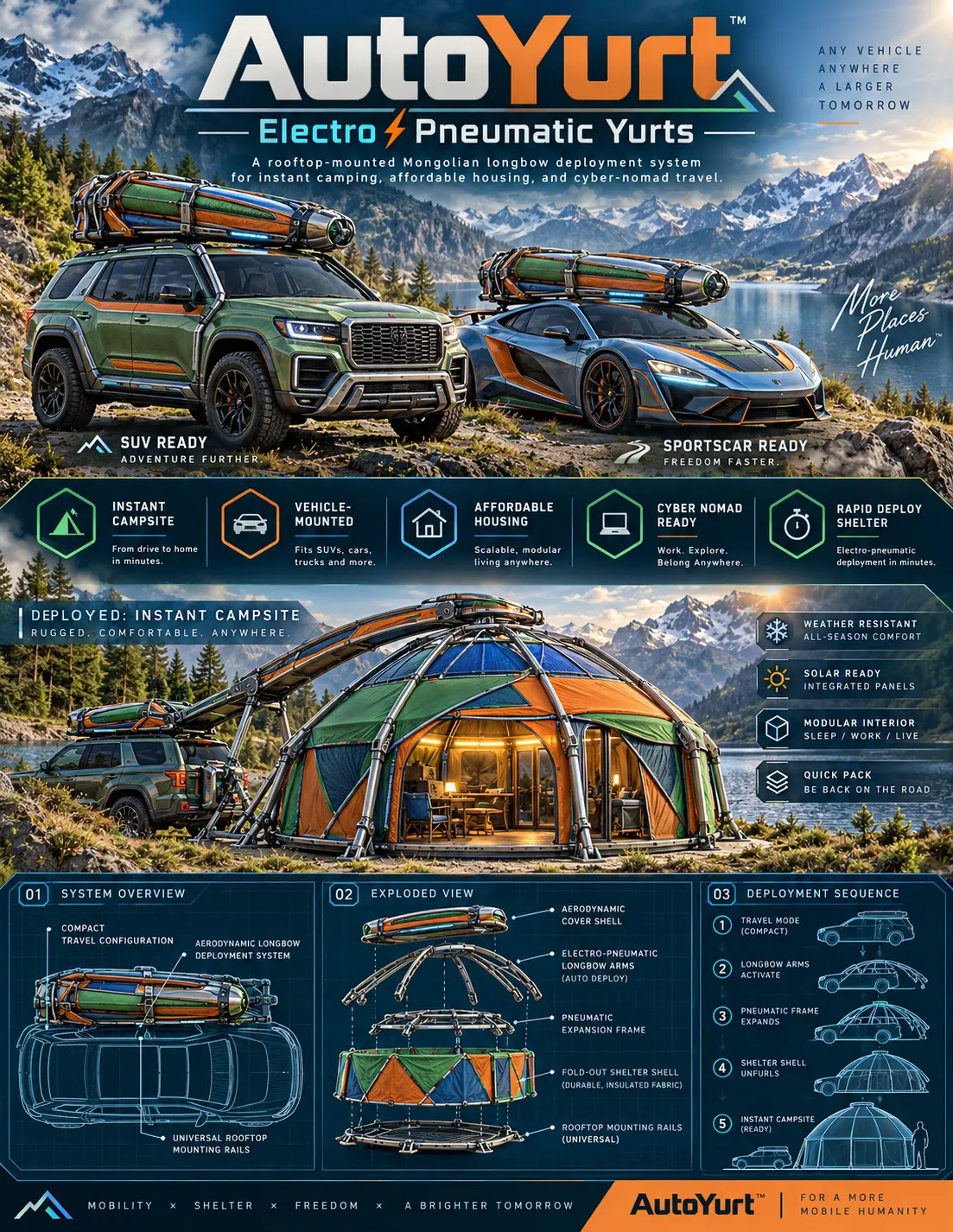
For cyber nomads, the goal is a compact infrastructure stack: dependable electricity, redundant communications, weather protection and a workspace that deploys without consuming the morning. The WOWLS! AutoYurt concept approaches that brief through a roof-mounted, electro-pneumatic shelter. But any ultramobile office succeeds or fails on the engineering beneath its silhouette.
Mobile Command Center Tech Specs Start With Power
Specify energy in watt-hours, not just battery amp-hours. A hypothetical 100-watt combined load for a laptop, display and networking equipment consumes 800 watt-hours over eight hours. Allowing for conversion losses and reserve, roughly 1.2–1.5 kilowatt-hours of usable storage is a sensible starting point for that workload. Heating, cooking and air-conditioning require separate calculations.
Match inverter continuous output to simultaneous loads and its surge rating to equipment startup demands. Direct USB-C or DC power can reduce conversion losses where devices support it. Specify fused circuits, cable sizing, a battery-management system and protected connections. Charging should have more than one route: solar when conditions cooperate, plus appropriately installed vehicle charging or shore power.

Connectivity Needs a Backup Path
A mobile office needs stable upload performance and latency, not merely an impressive download number. For planning, reserve roughly 5–10 Mbps of reliable upstream capacity per active video workstation, then test your actual applications. A cellular router with external antennas and two carrier options can improve resilience, although both services may still depend on nearby infrastructure.
Satellite connectivity adds another path where coverage and sky visibility permit. Put the router on a protected power circuit, separate guest devices from work equipment and use encrypted remote access. Automatic failover restores connectivity but may interrupt existing calls; session-preserving bonding typically requires additional services. Before committing to a campsite, test calls, uploads and reception inside the deployed shelter.
Shelter Specifications Beyond Floor Area
A credible shelter specification includes packed dimensions, deployed headroom, sleeping footprint, occupied load capacity and deployment clearance. Confirm the vehicle's dynamic roof rating, parked load limits and rack compatibility individually. A roof system that fits physically may still exceed the platform's permitted load or compromise handling once batteries, equipment and passengers join the manifest.
The WOWLS AutoYurt concept proposes low-profile aerodynamic longbow housing, electro-pneumatic arms, a pneumatic expansion frame and an insulated fold-out fabric shell. Its intended applications span sleeping, working and living, with integrated exterior solar panels for device power. It remains a concept, not a verified fitment or performance specification; request platform-specific details and register interest through /contact.
Climate Control Is a Workstation Requirement
Insulation slows heat transfer; it does not generate warmth or remove moisture. Ask for assembly-level thermal information, ventilation provisions and condensation management rather than relying on an “all-weather” label. Two occupants, wet clothing and cooking can quickly burden a small enclosure. Cross-ventilation, controlled extraction and a dry place for electronics matter as much as wall thickness.
Design the desk around elbow height, screen glare and a supported seated posture. Secure displays and loose equipment for travel, and keep an unobstructed exit when the bed is deployed. Any combustion heater needs appropriate installation, exterior exhaust and carbon-monoxide protection. Electric climate control can dominate the energy budget, making shade, ventilation and seasonal site selection valuable infrastructure decisions.
Budget for the Whole System
As broad industry planning ranges, a portable battery-and-solar setup may cost around –, while a professionally installed electrical system can reach –or more. Connectivity hardware can add several hundred to several thousand dollars, before subscriptions. These are general budgeting ranges, not WOWLS prices, and exclude the vehicle and shelter.
Spend first on safe power distribution, secure mounting and dependable communications; decorative upgrades can wait. The WOWLS AutoYurt vision emphasizes a scalable mobile shelter and workspace, while the related Auto concepts explore expedition mobility. For now, use /yurt to understand the architecture and /contact to join the waitlist, discuss your platform and identify specifications still needing confirmation.
What battery size do I need for an off-grid mobile office?
Add each device's average wattage, multiply by daily operating hours, then allow for conversion losses and a reserve. A workstation averaging 100 watts for eight hours needs 800 watt-hours before those allowances; approximately 1.2–1.5 kilowatt-hours of usable battery capacity is a practical starting point. Increase storage for additional occupants, overnight networking or days without charging. Calculate heating and air-conditioning separately, because they can overwhelm a battery sized only for office electronics. Size solar against realistic local conditions, not panel nameplate output alone.