
// CYBER NOMAD & REMOTE WORK INFRASTRUCTURE
Starlink Roaming Vehicle Setup for Off-Grid Work
A starlink roaming vehicle setup needs more than a dish and a subscription. For dependable remote work, you need an unobstructed sky view, secure hardware, sufficient battery capacity and a fallback connection. Start with your working pattern: a parked workstation has different requirements from connectivity while driving, and neither should depend on improvising cables at every stop.
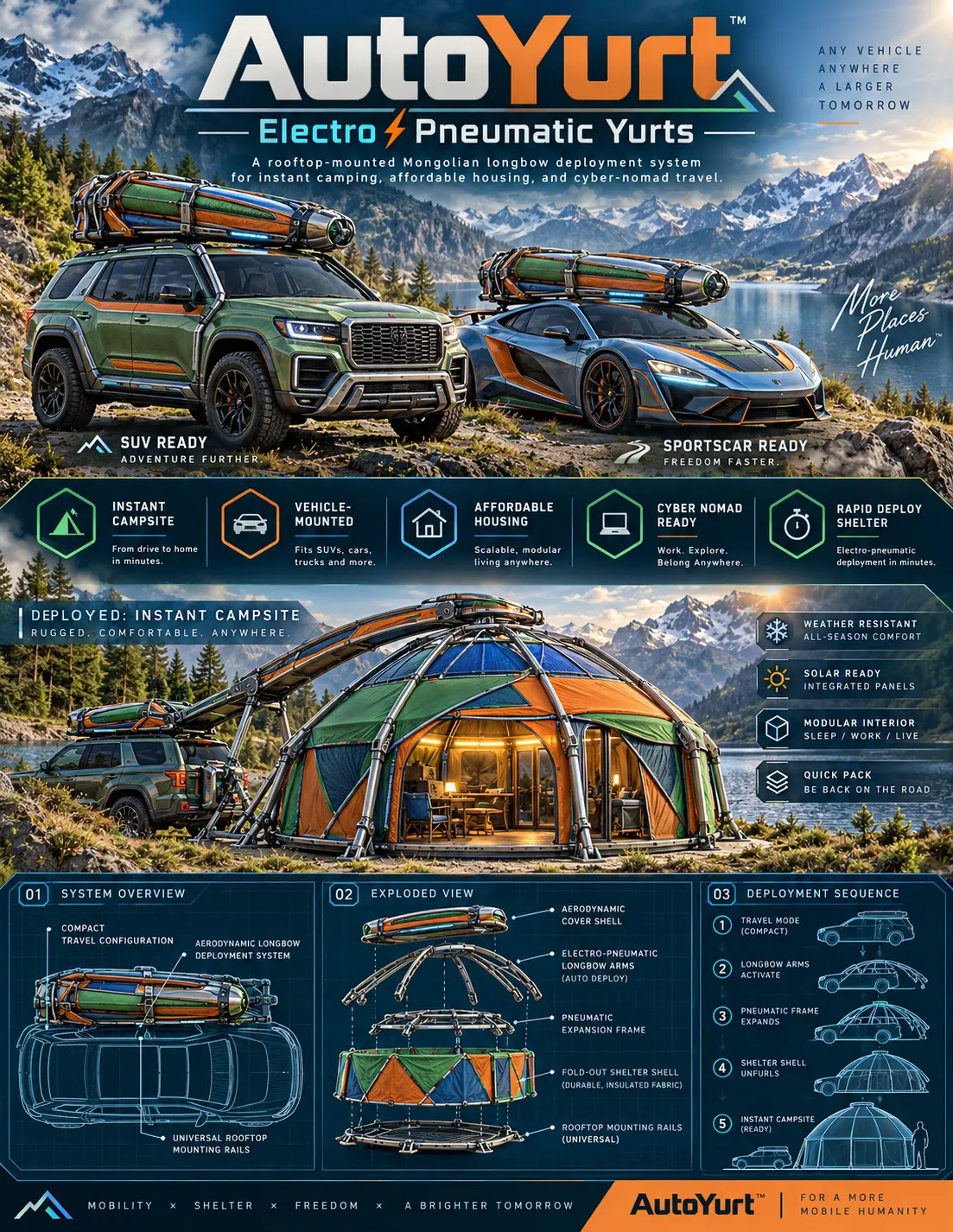
Build around your longest working day, not your shortest weekend trip. Someone answering messages can tolerate interruptions; someone running client calls cannot. The strongest cyber-nomad infrastructure treats shelter, electricity and connectivity as one system. That is the useful lens for the WOWLS AutoYurt concept: a proposed vehicle-mounted living and working space, with communications equipment planned alongside it.
Starlink Roaming Vehicle Setup: Parked or Moving?
Decide whether you need internet at camp or while traveling. Parked use gives you freedom to position a portable terminal away from trees and roof equipment. In-motion service requires hardware, mounting and a subscription explicitly approved for that use. A roaming subscription alone does not establish permission to operate while driving.
Before ordering, confirm service availability in your destination countries, travel restrictions, data allowances and any priority-data charges. Check whether service can be paused and what reactivation involves. Product generations and plan terms change; buy against current specifications rather than an older installation video. Connectivity for passengers must never become another screen demanding the driver's attention.

Budget for the Entire Connection
For planning purposes, typical consumer vehicle-satellite installations can involve several hundred to more than a thousand dollars in hardware and mounting, with recurring service often running from tens to hundreds of dollars monthly. These are broad industry ranges, not a provider quote. Professional installation, a larger auxiliary battery and specialist roof work can increase the total substantially.
Compare complete systems rather than terminal prices. Include the router, approved power supply, cable protection, weatherproof entry fittings and replacement parts. A portable setup generally reduces permanent installation work; a fixed installation can simplify arrival at camp. Neither eliminates the need to check overhead clearance or protect equipment from theft.
Power the Workday Before Adding Solar
Calculate energy in watt-hours: average watts multiplied by operating hours. As an illustrative example, a communications system averaging 50 watts for eight hours consumes 400 watt-hours before conversion losses. Add your laptop, lighting, ventilation and other loads separately. Use the selected hardware's published requirements, including startup demand, rather than assuming every terminal draws the same power.
An auxiliary battery keeps work equipment from draining the starter battery. A qualified installer should size wiring, fuses and charging equipment for the actual load. Approved DC conversion may avoid inverter losses, but improvised adapters can create problems. Solar is supplementary generation, not guaranteed daily output; shade, season and parking orientation all affect how much energy reaches the battery.
Give the Roof Two Separate Jobs
A roof carrying both shelter and communications hardware needs a deliberate layout. Check vehicle and rack load ratings, attachment requirements and the clearance needed for shelter deployment. Keep antennas outside the moving envelope of fabric, hinges and support arms. Removable terminals can be useful because the best shaded parking spot is often a poor satellite reception site.
The WOWLS AutoYurt concept proposes a low-profile aerodynamic longbow housing, electro-pneumatic deployment, an insulated fabric shell and integrated exterior solar panels. Its intended flexible interior supports sleeping, working or living. These are proposed features, not a currently available shelter or a validated satellite installation. Register interest to discuss platform fit and your intended workspace requirements.
Build a Workspace That Survives a Dropped Signal
Satellite connectivity benefits from a cellular fallback wherever coverage exists. A router supporting connection failover can help, although switching networks may still interrupt calls or secure sessions. Test uploads, video meetings and your employer's VPN before relying on the setup. Keep essential documents available offline and schedule large transfers around the connection you actually have.
Inside the vehicle or shelter, prioritize a stable desk, glare control, ventilation and secure cable routing. Separate guest access from work devices and keep router software current. WOWLS positions AutoYurt around ultramobile living rather than a single camping accessory. Start at /yurt, then use /contact to register interest with your vehicle type, roof constraints and daily power needs.
Can I run satellite internet from a vehicle battery all day?
Yes, if an appropriately sized auxiliary battery and charging system support the full load. Multiply the communications equipment's average wattage by operating hours, then add laptop use, other appliances and conversion losses. Leave reserve capacity rather than planning to exhaust the battery daily. Avoid relying on the starter battery for extended parked operation. Solar can extend runtime, but it should not be your only charging assumption. Confirm power requirements for your exact terminal and have permanent wiring installed correctly.